
Data Automation for Businesses: From Collection to Insight in Minutes

Wilton Rogers July 10, 2025 Data Automation for Businesses: From Collection to Insight in Minutes Why Data Automation Is a Competitive Edge In today’s digital landscape, businesses are drowning in data, but few are turning that data into action. Manual collection, entry, and analysis eat up hours that could be spent on decision-making. Data automation changes everything. By automating how your business collects, organizes, and interprets information, you speed up operations, eliminate human error, and gain near real-time insights that drive smarter moves. This post breaks down how data automation works, where to use it, and how to get started without overwhelming your team. What Is Data Automation? Data automation is the process of automatically collecting, transferring, storing, and analyzing data using tools and software instead of manual input. It includes: Extracting data from forms, emails, or websites Syncing information between apps like CRMs and spreadsheets Analyzing data with AI tools or pre-set rules Delivering insights through dashboards or automated reports With automation in place, your business can make decisions faster, because the information you need is always up-to-date and accurate. Where to Use Data Automation in Your Business Here are common areas where data automation delivers big results: Sales & Marketing: Automatically populate CRM fields from website forms, track user interactions across campaigns, and score leads based on behavioral data such as email opens, link clicks, or time on page. Automation ensures sales reps always have up-to-date lead data, while marketers can better segment audiences for targeted messaging. Finance: Use data automation to pull invoice data from emails, PDF attachments, or scanned documents and push it into accounting systems. Match transactions to purchase orders or payments automatically. Automate generation and delivery of weekly, monthly, or quarterly financial reports without manual effort. Operations: Centralize key metrics like team productivity, inventory levels, or delivery times by integrating project management tools and spreadsheets into a single automated dashboard. This gives operations managers a real-time view of bottlenecks or wins, enabling faster adjustments. Customer Service: Automatically categorize and tag incoming support tickets based on keywords or sentiment. Identify recurring issues and generate insights from ticket trends. Automation here not only streamlines internal processes but also improves response time and customer satisfaction. Wherever data is flowing in and out of your business, automation can help manage it more effectively. Benefits of Automating Your Data Workflows Speed: Get access to the data you need in seconds, not hours. Accuracy: Reduce manual entry mistakes and inconsistencies. Scalability: Handle growing volumes of data without more staff. Insight: Use dashboards to monitor real-time KPIs, trends, and alerts. Focus: Free your team to act on insights, not chase down data. 📌 Want to improve internal operations too? Read How Automation Helps Optimize Your Business From the Inside Out. Getting Started with Data Automation Identify Data-Heavy Workflows: Look for any process involving spreadsheets, repeated data entry, or time-consuming reports. Select Tools that Integrate: Choose platforms like Zapier, Power Automate, Airtable, or Google Data Studio depending on your needs. Start with Reporting: Automating reports is often the easiest win, set up recurring dashboards for daily, weekly, or monthly metrics. Build Gradually: Expand to more advanced automations (e.g. predictive analytics) once basic systems are solid. Make Data Work for You The future of business is data-driven, but the future-ready business is data-automated. By automating how you handle information, you give your team the gift of clarity, speed, and confidence. Better insights mean better strategy, and that’s a competitive advantage that scales. 📖 Learn how data fits into the bigger picture in our Ultimate Guide to Business Process Automation. Need help mapping your data automation journey? Visit ScaleThroughAutomation.io for a free consultation with our automation specialists. Business Business Process Optimization vs Automation: What You Need to Know Business The Ultimate Guide to Business Process Automation: How Modern Businesses Scale Efficiently Business How to Reduce Manual Tasks Without Breaking Your System Categories Uncategorized Business AI Agent
How Automation Helps Optimize Your Business From the Inside Out

Wilton Rogers July 10, 2025 How Automation Helps Optimize Your Business From the Inside Out Why Internal Optimization Matters If You Want to Optimize Your Business When most people think of automation, they picture bots replacing human labor or email sequences doing the work of sales reps. But the real power of automation lies within the daily operations, back-office systems, and behind-the-scenes tasks that silently shape your company’s efficiency. To truly optimize your business, you must start by improving the internal workflows your customers never see but always feel in the quality of your service, delivery, and responsiveness. This article explores how internal automation leads to external excellence and where to begin making those improvements. 1. Streamline Internal Communication to Optimize Your Business Internal delays often stem from miscommunication or unclear task ownership. Workflow automation can bridge these gaps by: Assigning tasks automatically after a trigger (e.g., form submission or approval) Notifying the right team member instantly via Slack or email Routing documents or requests to the appropriate department This reduces friction and keeps projects moving forward without unnecessary status checks, one of the most efficient ways to optimize your business operations. 2. Standardize Workflows to Optimize Your Business Operations Automation allows you to standardize processes across teams and departments, ensuring tasks are executed the same way every time. For example: Every client onboarding gets the same emails, documentation, and handover steps Every new hire receives the same resources, training links, and welcome tasks This level of consistency leads to better output, fewer errors, and a smoother experience for both staff and customers. Standardization is a core pillar when looking to optimize your business across functions. 3. Improve Data Accuracy and Reporting Manual data entry is one of the biggest causes of internal inefficiency. Automating data collection, syncing, and reporting can: Reduce entry errors Keep systems up to date in real-time Deliver dashboards that help with faster decision-making With better visibility into your operations, you can optimize your business strategy more effectively and avoid costly surprises. 4. Enhance Employee Experience and Morale Employees don’t want to spend their day copying data, chasing approvals, or sending reminders. Automation removes these tedious tasks so your team can focus on high-value work. This leads to: Greater job satisfaction Less burnout More creative and strategic output Happy teams are more productive, and your clients will notice the difference, making employee engagement a key way to optimize your business performance. 5. Build a Foundation for Scalable Growth By automating internal systems early, you avoid the chaos that comes with rapid scaling. You won’t need to triple your workforce just to keep up with demand. Instead, you’ll be equipped to: Handle more clients without adding more admin Maintain quality and turnaround times as your business grows Stay agile and focused on innovation 👉 For tactical ways to begin, read 5 Proven Ways to Optimize Business Processes Using Automation. Start Inside to Optimize Your Business From the Ground Up If you want to create better customer experiences and scale sustainably, start by optimizing your internal systems. Automation isn’t about replacing people; it’s about freeing them to do their best work. By investing in behind-the-scenes efficiency, you’ll optimize your business from the inside out, leading to stronger communication, faster delivery, and consistent growth. 📌 Explore the full picture of smart automation in our Ultimate Guide to Business Process Automation. Need help diagnosing where to start to optimize your business with automation? Visit ScaleThroughAutomation.io for a free assessment. AI Agent How to Automate Your Business Processes Without Writing a Single Line of Code AI Agent Intelligent Automation: Smarter Systems for Smarter Business Decisions AI Agent Process Optimization: 5 Automation Strategies to Streamline Your Business Categories Uncategorized Business AI Agent
How to Automate Your Business Processes Without Writing a Single Line of Code
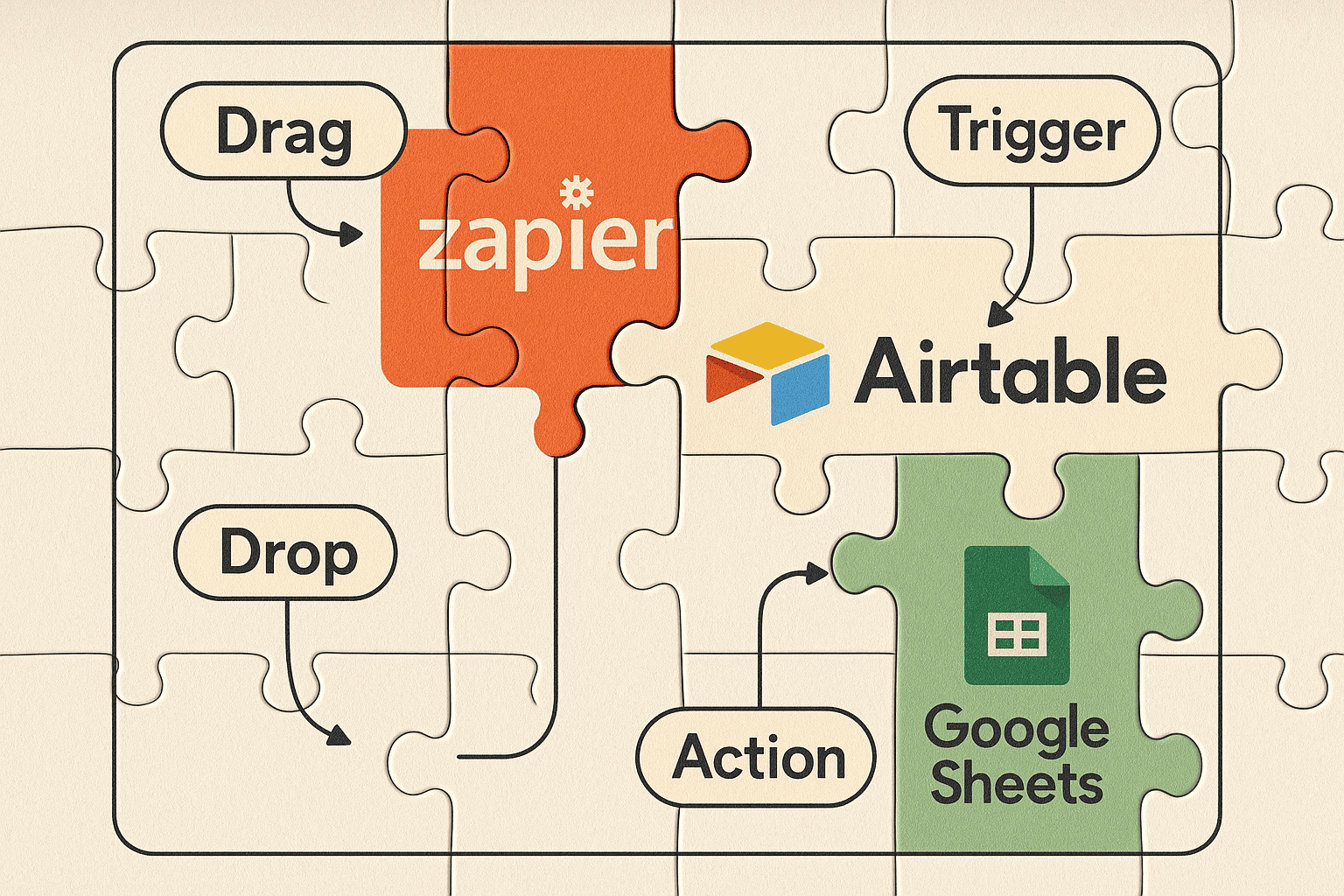
Wilton Rogers July 10, 2025 How to Automate Your Business Processes Without Writing a Single Line of Code Automation Isn’t Just for Developers For years, automating business workflows meant hiring developers, building custom systems, or relying on complex, hard-to-maintain scripts. This made automation seem out of reach for small businesses, solo entrepreneurs, and non-technical teams. But today, that barrier is gone. No-code automation platforms have made it possible for anyone; from operations managers and marketers to virtual assistants and small business owners, to automate workflows without writing a single line of code. You can now streamline tasks, improve accuracy, and scale your operations with easy-to-use visual tools. In this guide, you’ll learn exactly how to identify automation opportunities, build your first workflow, and leverage no-code platforms to save hours of manual work each week—even if you’ve never touched a line of code. What Is No-Code Process Automation? No-code process automation uses visual interfaces and drag-and-drop tools to build workflows between different apps and systems. Instead of writing code, you create logic by choosing triggers, actions, and conditions from dropdown menus. Popular platforms that support no-code automation include: Zapier: Great for small businesses wanting to link tools like Gmail, Google Sheets, Slack, etc. Make (formerly Integromat): Offers visual scenario builders for complex automations. Power Automate: Microsoft’s tool for automating across Office 365 and other services. Trello / Airtable Automations: Simple built-in options for workflow triggers and updates. Step-by-Step: How to Automate Without Code 1. Identify Repetitive Tasks Start by listing out tasks your team does over and over, like sending welcome emails, updating spreadsheets, or following up on form submissions. These are perfect candidates for automation. 2. Choose Your Tools Pick a no-code platform that integrates with the apps you use. For example, if your CRM is HubSpot and you use Gmail and Google Sheets, Zapier is a strong choice. 3. Map the Workflow Sketch out the steps: What triggers the process? What needs to happen next? Does anything depend on conditions (e.g. different actions for different answers)? 4. Build the Automation Use your no-code platform’s interface to create the logic. For example: Trigger: “New lead in CRM” Action: “Send welcome email” Action: “Create a new row in Google Sheets” 5. Test and Launch Run a test to make sure everything fires correctly. Most tools provide test environments so you can simulate the process. Once tested, turn it on and let it run. Real-World Use Cases Here are some everyday automations you can set up with no code: Client Onboarding: Automatically send documents, welcome emails, and calendar invites. Invoice Management: Trigger invoice creation from completed contracts. Team Notifications: Alert Slack or Teams channels when a form is submitted. Lead Scoring: Automatically tag or score leads based on form responses. Content Publishing: Post new blog updates or YouTube videos to social channels. Each of these examples saves hours of manual work per week—and helps ensure consistency. 👉 Want to discover more possibilities? Read our guide on Workflow Automation Explained: Tools, Benefits, and Real-World Use Cases for inspiration. Why No-Code Automation Is a Game-Changer for SMBs Small and mid-sized businesses often don’t have in-house developers. No-code automation levels the playing field by giving business owners and teams direct control over operations. You get: Faster execution Lower costs Flexibility to tweak workflows anytime No reliance on IT backlogs Best of all, many no-code tools offer free plans or scalable pricing, making them accessible to businesses of all sizes. Build Smart, Start Simple No-code automation allows you to move fast without breaking things. Start with one workflow, get comfortable, and scale from there. The impact will surprise you. 📌 Ready to go further? Our Ultimate Guide to Business Process Automation breaks down how to scale these efforts across your entire company. Need help identifying which tools or workflows to automate first? Visit ScaleThroughAutomation.io and let our team guide you through a smart start. Business Business Process Optimization vs Automation: What You Need to Know Business The Ultimate Guide to Business Process Automation: How Modern Businesses Scale Efficiently Business How to Reduce Manual Tasks Without Breaking Your System Categories Uncategorized Business AI Agent
Intelligent Automation: Smarter Systems for Smarter Business Decisions
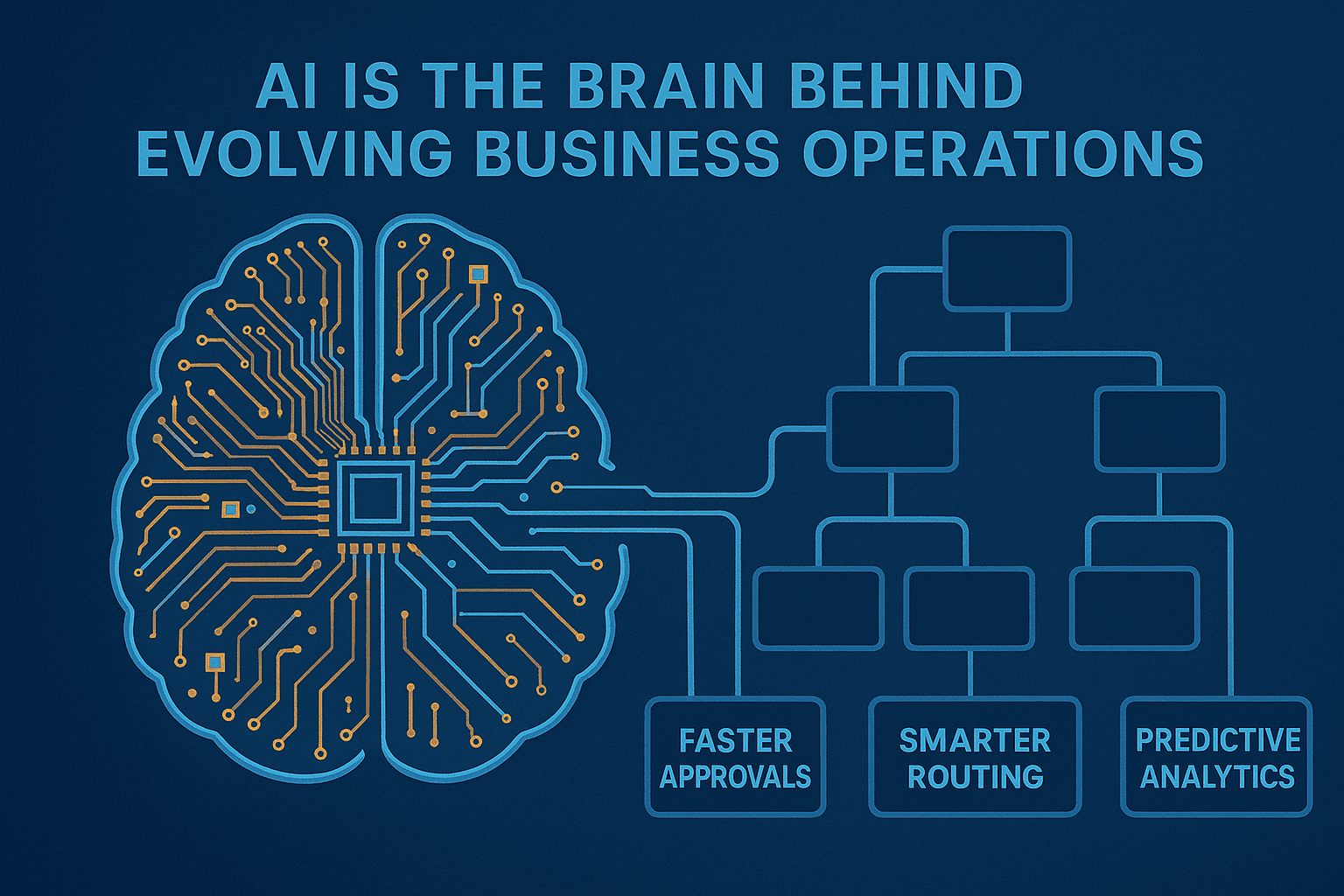
Wilton Rogers July 10, 2025 Intelligent Automation: Smarter Systems for Smarter Business Decisions What Is Intelligent Automation? Intelligent Automation (IA) is the next level of business process automation; combining traditional workflow automation with artificial intelligence (AI), machine learning (ML), and decision-making capabilities. Unlike standard automation that simply follows rules, intelligent automation can analyze data, adapt to changing inputs, and learn over time. It allows businesses to go beyond routine task execution to automate complex processes that require logic, judgment, or personalization. Common IA technologies include: AI chatbots and virtual assistants Document understanding and classification Predictive analytics Robotic Process Automation (RPA) with AI integration Key Benefits of IA Adopting intelligent automation can transform how businesses operate. Some of the most impactful benefits include: Faster, smarter decision-making: Systems can analyze data in real time and act without human intervention. Scalability: Handle more tasks, customers, or workflows without increasing staff. Cost savings: Reduce labor costs and minimize costly manual errors. Better customer experiences: Personalize interactions, speed up responses, and provide 24/7 support. Future readiness: Position your business to compete in a rapidly evolving, AI-powered market. Where to Apply Intelligent Automation in Your Business Intelligent automation can be used across departments, but it’s especially powerful in areas that rely heavily on data and repetitive decisions: Customer Support: AI-driven chatbots triage queries, escalate complex issues, and pull data from internal systems. Finance: Automatically process invoices, match transactions, and flag anomalies. Sales and Marketing: Use predictive analytics to segment leads, recommend content, or personalize outreach. HR: Screen resumes, answer FAQs, and handle onboarding tasks. Operations: Automate inventory updates, track shipments, or manage quality control alerts. Intelligent Automation vs Traditional Automation So how is IA different from standard business process automation? Feature Traditional Automation Intelligent Automation Follows rules ✅ ✅ Learns from data ❌ ✅ Makes decisions ❌ ✅ Requires structured input ✅ ❌ (can handle unstructured data) Adapts to change ❌ ✅ In short, IA is more dynamic, data-driven, and capable of improving itself over time—unlike rule-based automation that stays static. Getting Started with Intelligent Automation Here’s how to get started if you’re new to IA: Start small: Identify one or two high-impact use cases like customer queries or invoice approvals. Use cloud-based tools: Platforms like UiPath, Microsoft Power Automate with AI Builder, or Zapier AI are user-friendly and scalable. Pair with process optimization: Make sure your workflows are efficient before adding intelligence to them. Measure ROI: Track time saved, error reduction, or revenue impact over time. 👉 Already optimizing your workflows? Learn 5 Proven Ways to Optimize Business Processes Using Automation to prepare for more advanced automation. Don’t Just Automate—Do it Intelligently Intelligent automation represents the future of business systems. It brings together the speed of automation with the thinking power of AI. If you’re aiming to future-proof your business, improve decision-making, and gain a competitive edge, it isn’t just a tech upgrade; it’s a strategic move. 📌 Dive deeper into how automation supports business growth in our Ultimate Guide to Business Process Automation. Need help applying intelligent automation in your business? Visit ScaleThroughAutomation.io to speak with an automation expert. AI Agent Process Optimization: 5 Automation Strategies to Streamline Your Business AI Agent Workflow Automation Explained: Tools, Benefits, and Real-World Use Cases Business Business Process Optimization vs Automation: What You Need to Know Categories Uncategorized Business AI Agent
Process Optimization: 5 Automation Strategies to Streamline Your Business
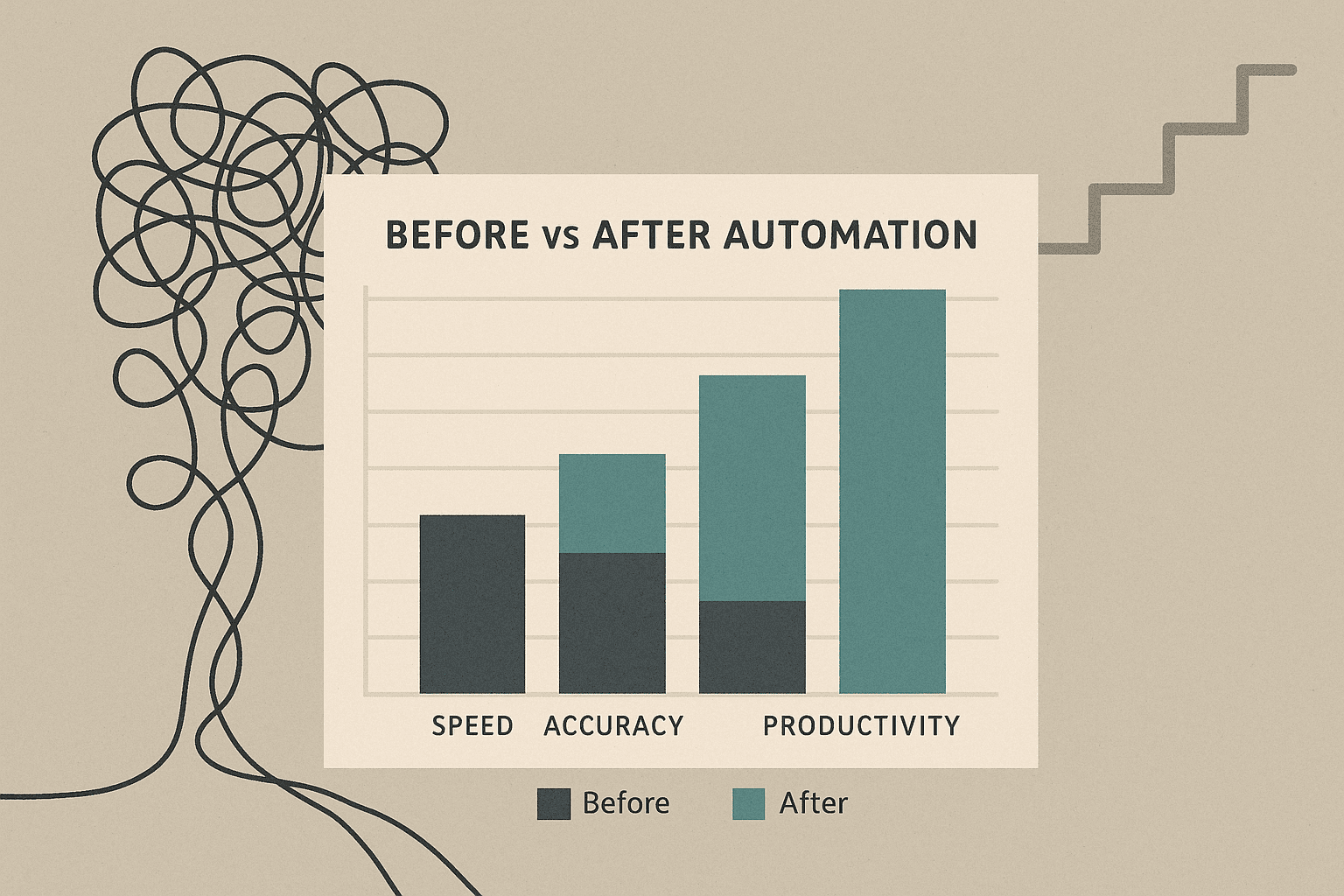
Wilton Rogers July 10, 2025 Process Optimization: 5 Automation Strategies to Streamline Your Business Why Process Optimization and Automation Work Best Together If you’re looking to reduce inefficiencies, improve team performance, or scale your business without scaling costs, the solution lies in process optimization powered by automation. Process optimization involves improving the way work gets done; eliminating redundancies, reducing delays, and enhancing efficiency. When paired with automation, optimized processes become faster, smarter, and easier to scale. In this article, we explore five proven ways to optimize your business workflows using automation tools and techniques that create real, measurable impact. 1. Identify High-Impact, Repetitive Tasks Before Process Optimization Effective process optimization starts with identifying workflows that are repeated frequently, involve multiple handoffs, or are prone to human error. These tasks are ideal for automation because they slow down productivity and create bottlenecks. Common examples include: Email follow-ups Invoice approvals Employee onboarding checklists Client onboarding sequences By automating these high-impact processes, you eliminate delays, reduce risk of errors, and allow your team to focus on more strategic tasks. 2. Map Out the Current Workflow Before Optimizing Before jumping into automation, you need a clear view of the current process. Process mapping helps you visualize each step, uncover inefficiencies, and define exactly what needs to change. Ask yourself: What triggers the process? Who owns each step? Are there unnecessary delays or manual approvals? Tools like Lucidchart, Miro, or even whiteboards can help you document workflows. Remember: process optimization isn’t about automating a bad process—it’s about fixing it first, then automating the improved version. 3. Automate Data Movement Between Tools One of the biggest time-wasters in business is manual data entry between disconnected tools. Automating the movement of data between systems is a key part of any process optimization strategy. Examples include: Syncing form submissions to your CRM Sending order data from your eCommerce platform to your accounting tool Updating project statuses across platforms like Asana, Trello, or Slack Using automation platforms (e.g., Zapier, Make, Power Automate), you can streamline this data flow, reducing errors and reclaiming hours of manual work. 👉 For a deeper look, read our Workflow Automation Explained guide on tools, benefits, and real-world use cases. 4. Set Up Smart Triggers and Conditional Logic Process optimization with automation means making workflows dynamic. Rather than creating a one-size-fits-all process, use conditional logic to tailor responses based on real-world scenarios. For instance: If a lead completes a high-intent form → alert sales instantly If onboarding isn’t complete in 7 days → send a reminder email If a payment is over $5,000 → route to senior finance for approval Smart triggers and logic ensure workflows are responsive and efficient—without constant oversight. 5. Monitor, Measure, & Continuously Improve Your Process Optimization Effort No process optimization effort is complete without continuous monitoring. Use your automation tool’s analytics to: Track workflow completion rates Measure average task duration Spot errors, delays, or skipped steps This data-driven feedback loop helps you identify what’s working and where to improve. Regular updates and refinements make your processes more agile over time. Start Small and Optimize Continuously You don’t have to automate everything at once to see value. Start with one or two critical workflows. Apply these optimization strategies. Let automation do the repetitive work—while you focus on growing your business. 📌 Want to learn how businesses scale without complexity? Explore our Ultimate Guide to Business Process Automation for a full walkthrough on planning, building, and managing optimized processes with automation. AI Agent Process Optimization: 5 Automation Strategies to Streamline Your Business AI Agent Workflow Automation Explained: Tools, Benefits, and Real-World Use Cases Business Business Process Optimization vs Automation: What You Need to Know Categories Uncategorized Business AI Agent
Workflow Automation Explained: Tools, Benefits, and Real-World Use Cases

Wilton Rogers July 10, 2025 Workflow Automation Explained: Tools, Benefits, and Real-World Use Cases What Is Workflow Automation? Workflow automation refers to the design and execution of a sequence of tasks or actions that are automatically carried out by software or AI tools without manual intervention. It helps businesses streamline repetitive processes, reduce delays, and ensure tasks are completed consistently and accurately. A workflow can span a single department, like auto-assigning leads in a CRM, or connect several departments, such as triggering a welcome email series after a customer signs a contract and alerting the finance team to generate an invoice. Whether you’re running a small team or managing complex enterprise operations, workflow automation is key to efficiency. Why It Matters: Top Benefits of Workflow Automation Automating workflows brings both immediate and long-term value: Speed and Consistency: Workflows execute instantly, reducing lag and human error. Team Productivity: Employees spend less time on manual tasks and more time on meaningful work. Customer Experience: Automation ensures prompt responses and smooth service delivery. Process Visibility: Many tools offer real-time dashboards to monitor progress. Scalability: Automated workflows can handle increasing workload without hiring more staff. These benefits make workflow automation not just a convenience but a competitive advantage in today’s digital economy. Tools You Can Use to Automate Workflows Thanks to the rise of no-code and low-code platforms, you don’t need a technical background to implement workflow automation. Some popular tools include: Zapier – Connects over 5,000 apps to automate simple workflows. Make (formerly Integromat) – Visual interface ideal for complex logic. Trello Automation / Butler – Great for task boards and project management. HubSpot Workflows – CRM-based automation for marketing, sales, and service. Power Automate – Microsoft’s tool for automating across Office 365 and beyond. Each tool has strengths depending on your business size, systems, and use cases. Real-World Use Cases for Workflow Automation Workflow automation isn’t just a theoretical concept; it’s actively transforming how teams work in the real world. Businesses across industries are turning to automated workflows to improve consistency, reduce manual labor, and deliver better results. Here’s how workflow automation shows up in practical settings: Workflow automation can be applied in virtually any business function. Here are some real-world examples: Sales: Auto-route leads based on form answers, send follow-up emails, update CRM records. Customer Support: Create tickets from chatbots, auto-assign to agents, trigger surveys after closure. HR and Onboarding: Automatically send offer letters, onboard documents, schedule orientation. Finance: Trigger invoice generation after contract signing, automate expense approvals. Marketing: Launch email campaigns when a lead downloads a guide or attends a webinar. These workflows not only save time but also reduce the chances of errors, missed follow-ups, or duplicated efforts. By clearly defining the rules and sequence of steps in a process, teams can stay aligned and consistent, especially as workloads scale. In fact, many businesses that begin with individual workflows eventually progress toward more comprehensive process improvements. If you’re wondering how to go beyond isolated automations and take a more strategic approach, read our article on How to Automate Your Business Processes Without Writing a Single Line of Code. It walks you through low-barrier ways to build and launch automations even if you have no technical background. Want to Take It a Step Further? If you’re already exploring workflow automation, you might be ready for a broader transformation with Business Process Automation (BPA). BPA allows you to integrate multiple workflows across departments, create intelligent logic, and scale your operations more effectively. 👉 Explore more in our Ultimate Guide to Business Process Automation to understand how it can power sustainable growth across your business. Need help building your first workflow automation? Visit ScaleThroughAutomation.io to schedule a free discovery session and get expert guidance tailored to your business needs. AI Agent Workflow Automation Explained: Tools, Benefits, and Real-World Use Cases Business Business Process Optimization vs Automation: What You Need to Know Business Business Process Optimization vs Automation: What You Need to Know Categories Uncategorized Business AI Agent
Business Process Optimization vs Automation: What You Need to Know

Wilton Rogers July 10, 2025 Business Process Optimization Vs Automation: What You Need to Know Not All Efficiency Is the Same In the drive to make operations more efficient, two terms often come up, business process optimization and business process automation. While they’re related, they’re not interchangeable. Understanding the difference can help you apply the right approach at the right time, and get better results. This article will break down both concepts, show where they overlap, and explain how they work together to improve productivity, scalability, and profitability. What Is Business Process Optimization? Business Process Optimization (BPO) is the strategic practice of reviewing, analyzing, and improving existing workflows to eliminate inefficiencies and enhance outcomes. It focuses on making processes better; streamlining steps, removing redundancies, and redesigning how tasks are performed. For example, a company may discover that customer service tickets are taking too long because they go through multiple unnecessary approvals. Optimization would involve revising the workflow to reduce steps, clarify roles, or adjust routing rules. Key goals of process optimization include: Reducing delays and bottlenecks Improving the quality of outputs Enhancing resource allocation Aligning processes with business goals It’s a critical step before automation; automating a broken process just makes it faster to fail. What Is Business Process Automation? Business Process Automation (BPA) uses technology to execute recurring workflows or tasks without manual intervention. It’s about doing work faster, more consistently, and with fewer human errors. Examples include: Auto-generating invoices after contract approval Routing tasks to the correct department based on form inputs Sending reminders or approvals automatically via integrated tools While automation doesn’t necessarily fix a flawed process, it amplifies the efficiency of a well-optimized one. That’s why many businesses pair BPA with optimization initiatives. 👉 For a complete breakdown of BPA and its strategic value, read our Ultimate Guide to Business Process Automation. Optimization vs Automation: Which Comes First? In most cases, optimization should come before automation. Here’s why: Automation locks in a process, so you want that process to be the best version possible. Optimized workflows are easier and more cost-effective to automate. Automating a wasteful or redundant process just replicates inefficiency at scale. That said, in some cases, automating a basic version of a process can reveal inefficiencies more clearly. Think of optimization and automation as iterative partners; they work best when they feed into each other. To see how automation works in specific business functions, explore our article on Workflow Automation Explained: Tools, Benefits, and Real-World Use Cases. It breaks down practical applications across sales, HR, finance, and more. They work best when they feed into each other. When to Use Each One (or Both) Use Business Process Optimization when: You’re unsure why a process is slow or underperforming You want to simplify workflows before scaling You’re onboarding new team members and need clarity Use Business Process Automation when: You already have a clear, repeatable workflow in place You’re scaling up and need to reduce manual workload You want to boost speed and eliminate repetitive tasks Use both when: You’re building sustainable systems for long-term growth You want to unlock maximum efficiency and ROI The Smartest Move? Combine Optimization with Automation The most forward-thinking businesses use optimization and automation together. First, they fix what’s broken. Then they automate what works. This combined approach delivers powerful outcomes: Lower costs Higher output with the same or smaller team Better customer experiences Improved scalability If you’re just starting out, don’t feel pressured to get everything perfect before you begin. Start small, improve as you go, and remember: the best automation is built on strong processes. Want help reviewing or automating your business workflows? Visit ScaleThroughAutomation.io to book a free consultation with our automation experts. 10 Jul 2025 Business Business Process Optimization vs Automation: What You Need to Know 08 Jul 2025 Business Business Process Optimization vs Automation: What You Need to Know 07 Jul 2025 Business The Ultimate Guide to Business Process Automation: How Modern Businesses Scale Efficiently Categories Uncategorized Business AI Agent
Business Process Optimization vs Automation: What You Need to Know
Wilton Rogers July 8, 2025 Business Process Optimization Vs Automation: What You Need to Know Not All Efficiency Is the Same In the drive to make operations more efficient, two terms often come up, business process optimization and business process automation. While they’re related, they’re not interchangeable. Understanding the difference can help you apply the right approach at the right time, and get better results. This article will break down both concepts, show where they overlap, and explain how they work together to improve productivity, scalability, and profitability. What Is Business Process Optimization? Business Process Optimization (BPO) is the strategic practice of reviewing, analyzing, and improving existing workflows to eliminate inefficiencies and enhance outcomes. It focuses on making processes better; streamlining steps, removing redundancies, and redesigning how tasks are performed. For example, a company may discover that customer service tickets are taking too long because they go through multiple unnecessary approvals. Optimization would involve revising the workflow to reduce steps, clarify roles, or adjust routing rules. Key goals of process optimization include: Reducing delays and bottlenecks Improving the quality of outputs Enhancing resource allocation Aligning processes with business goals It’s a critical step before automation; automating a broken process just makes it faster to fail. What Is Business Process Automation? Business Process Automation (BPA) uses technology to execute recurring workflows or tasks without manual intervention. It’s about doing work faster, more consistently, and with fewer human errors. Examples include: Auto-generating invoices after contract approval Routing tasks to the correct department based on form inputs Sending reminders or approvals automatically via integrated tools While automation doesn’t necessarily fix a flawed process, it amplifies the efficiency of a well-optimized one. That’s why many businesses pair BPA with optimization initiatives. 👉 For a complete breakdown of BPA and its strategic value, read our Ultimate Guide to Business Process Automation. Optimization vs Automation: Which Comes First? In most cases, optimization should come before automation. Here’s why: Automation locks in a process, so you want that process to be the best version possible. Optimized workflows are easier and more cost-effective to automate. Automating a wasteful or redundant process just replicates inefficiency at scale. That said, in some cases, automating a basic version of a process can reveal inefficiencies more clearly. Think of optimization and automation as iterative partners; they work best when they feed into each other. To see how automation works in specific business functions, explore our article on Workflow Automation Explained: Tools, Benefits, and Real-World Use Cases. It breaks down practical applications across sales, HR, finance, and more. They work best when they feed into each other. When to Use Each One (or Both) Use Business Process Optimization when: You’re unsure why a process is slow or underperforming You want to simplify workflows before scaling You’re onboarding new team members and need clarity Use Business Process Automation when: You already have a clear, repeatable workflow in place You’re scaling up and need to reduce manual workload You want to boost speed and eliminate repetitive tasks Use both when: You’re building sustainable systems for long-term growth You want to unlock maximum efficiency and ROI The Smartest Move? Combine Optimization with Automation The most forward-thinking businesses use optimization and automation together. First, they fix what’s broken. Then they automate what works. This combined approach delivers powerful outcomes: Lower costs Higher output with the same or smaller team Better customer experiences Improved scalability If you’re just starting out, don’t feel pressured to get everything perfect before you begin. Start small, improve as you go, and remember: the best automation is built on strong processes. Want help reviewing or automating your business workflows? Visit ScaleThroughAutomation.io to book a free consultation with our automation experts. 12 Jul 2025 Business What Is Process Automation and How Can It Save Your Business Time and Money? 12 Jul 2025 AI Agent How to Scale a Business Without Scaling Your Team Using Automation 12 Jul 2025 AI Agent Data Automation for Businesses: From Collection to Insight in Minutes Categories Business AI Agent
The Ultimate Guide to Business Process Automation: How Modern Businesses Scale Efficiently
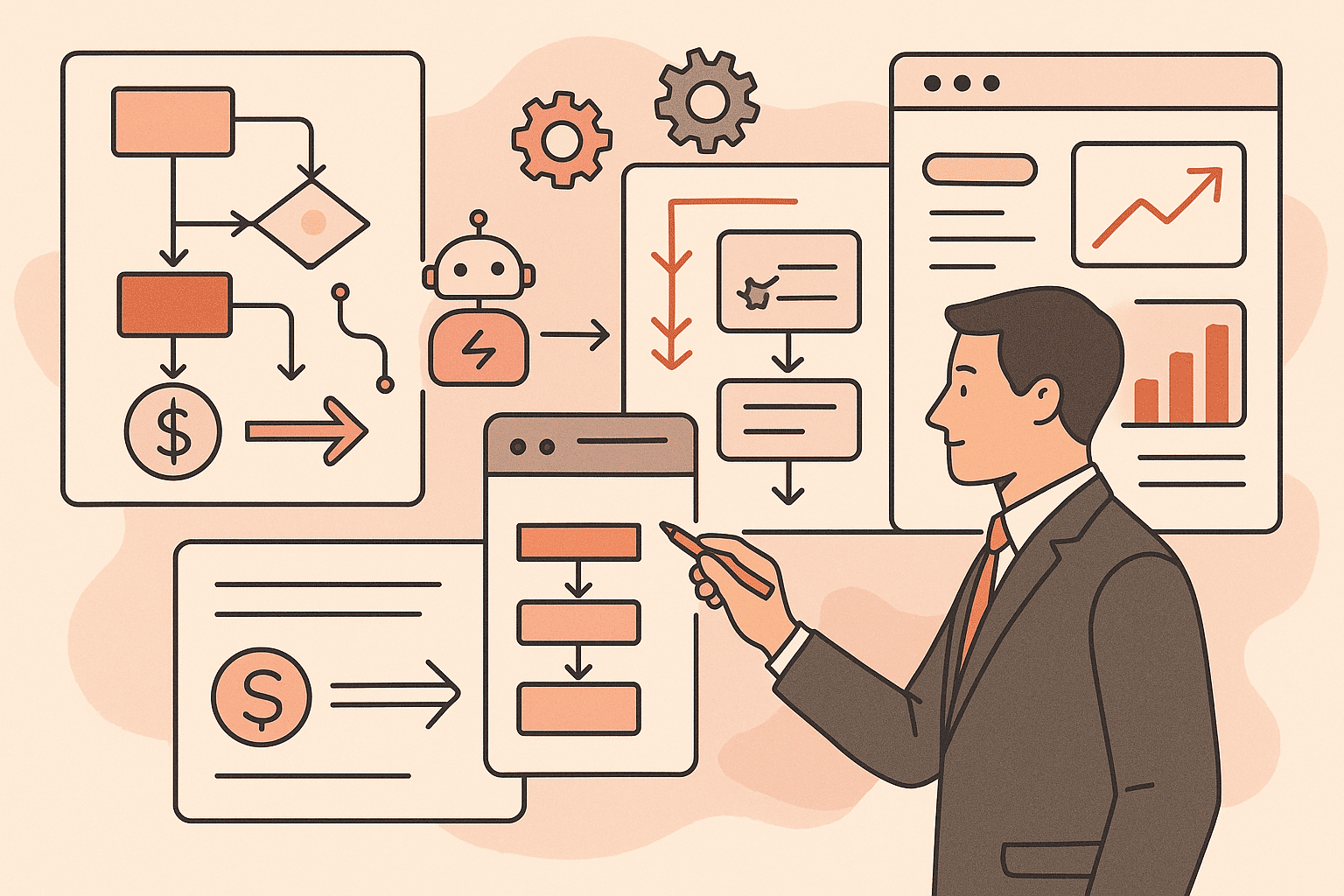
Wilton Rogers July 7, 2025 The Ultimate Guide to Business Process Automation: How Modern Businesses Scale Efficiently What Is Business Process Automation? Business Process Automation (BPA) refers to the use of technology to execute recurring tasks or processes in a business where manual effort can be replaced. It’s about making workflows more efficient, scalable, and streamlined. From invoice approvals and data entry to onboarding and customer communication, BPA focuses on eliminating bottlenecks, reducing errors, and freeing up human resources for more strategic tasks. Unlike simple task automation, such as using a script to send daily emails, BPA covers entire workflows end-to-end, integrating various tools and systems to create seamless operations. Key benefits of BPA include: Time savings and increased speed Reduced operational costs Improved accuracy and consistency Better customer and employee experiences 👉 Related Reading: [What Is Process Automation and How Can It Save Your Business Time and Money?] Why Automation Is Crucial for Scaling Your Business As your business grows, managing operations becomes more complex. Manual processes that once worked well for a small team often become inefficient and unsustainable. Business Process Automation allows companies to manage increasing demand without hiring more staff by creating scalable systems that operate efficiently. Automation enables businesses to: Serve more clients with fewer resources Respond faster to customer demands Leverage real-time analytics for better decision-making Deliver consistent service and gain a competitive edge 👉 Related Reading: [How to Scale a Business Without Scaling Your Team] Key Areas You Can Automate in Your Business There are several high-impact areas in your business where automation can drive measurable improvements: Operations: Automate task assignments, approvals, purchase orders, and document routing to streamline administrative workflows and ensure compliance. Sales and Marketing: Use automation for lead scoring and nurturing, running email campaigns, and managing social media posting. This frees up your team for strategy and engagement. Customer Service: Implement AI-powered chatbots to handle FAQs, triage support tickets, and provide updates, allowing staff to address more complex needs. Data and Reporting: Automate report generation, data cleaning, platform syncing, and real-time alert setups for smarter, data-driven decisions. 👉 Related Reading: [Workflow Automation Explained: Tools, Benefits, and Real-World Use Cases] Getting Started with Business Process Automation Starting with automation doesn’t have to be complicated. Here’s a simple 4-step approach: Identify Repetitive Tasks: Look for high-volume, error-prone processes such as email replies, form handling, or data updates. Prioritize Based on ROI: Choose automation targets based on time/cost savings and implementation ease. Select the Right Tools: Platforms like Zapier, Make, and Power Automate offer easy integrations. AI-powered tools add another layer of intelligence. Monitor and Optimize: Measure outcomes such as time saved, error reduction, or ROI. Use these insights to improve further. If you’re unsure where to begin or feel overwhelmed by the options, Scale Through Automation (STA) can support you every step of the way. Our experts help businesses like yours choose the right tools, implement powerful workflows, and ensure a smooth transition into automated systems without the guesswork. Avoid Common Pitfalls: Automating inefficient processes without first improving them Skipping team training and onboarding Overcomplicating your first automation project Related Reading: [How to Automate Your Business Processes Without Writing a Single Line of Code] Why Business Process Automation Is the Future of Growth Business Process Automation is more than a tech trend; it’s a strategic advantage in today’s digital-first world. Whether you’re a small startup or a growing enterprise, automating intelligently gives you the freedom to innovate, reduce human error, and build systems that scale with your ambition. Want help identifying what to automate first? Book a free consultation with our automation experts at ScaleThroughAutomation.io and explore smart solutions for your business. 12 Jul 2025 Business What Is Process Automation and How Can It Save Your Business Time and Money? 12 Jul 2025 AI Agent How to Scale a Business Without Scaling Your Team Using Automation 12 Jul 2025 AI Agent Data Automation for Businesses: From Collection to Insight in Minutes Categories Uncategorized Business AI Agent
How to Reduce Manual Tasks Without Breaking Your System

Wilton Rogers June 16, 2025 How to Reduce Manual Tasks Without Breaking Your System The Smart Way to Automate Without Wrecking What Already Works Every growing team eventually hits the same wall: “We’re spending too much time on repetitive tasks, but we can’t risk breaking our current systems.” Sound familiar? Whether you’re in real estate, retail, accounting, manufacturing, or client services—the fear is real: automate the wrong way, and you’ll create more mess than magic. Here’s the good news:You don’t need to overhaul everything. You just need to automate with intention. Let’s walk through how to reduce manual tasks without breaking what already works. 1. Start With Process Mapping, Not Tools Before you even think about software, pause. Ask yourself: What tasks are eating up the most time? Where do handoffs break down? What’s being done manually that could be done better? Map your workflows first. This can be as simple as drawing boxes and arrows. The goal is to see your current system clearly—so you can automate the right parts, not the wrong ones. 🧠 Pro Tip:Use sticky notes, whiteboards, or tools like Lucidchart, Whimsical, or even Google Docs. Visibility creates clarity. 2. Pick One Process That’s Easy to Win Don’t automate everything at once. Choose one high-impact, low-risk task—something small, annoying, and repeatable. Examples across industries: Real Estate: Automate rent reminders or showing confirmations E-commerce: Auto-send order status updates or follow-ups Accounting: Use forms that auto-feed into QuickBooks Customer Service: Route common inquiries with a chatbot Manufacturing: Auto-generate inventory alerts or shift schedules Start here. Test. Measure. Build confidence. 3. Use Tools That Integrate, Not Overcomplicate One of the biggest mistakes? Adding new tools that don’t play well with your existing stack. Instead, look for systems that: Connect to your CRM, calendar, email, or spreadsheets Don’t require a full migration Let you build automation in layers, not leaps Popular tools that work with you: Zapier (for no-code automation between apps) Make (Integromat) (for complex workflows) ChatGPT/AI agents (for emails, reports, and triage) CRMs like GoHighLevel, HubSpot, or Zoho (that have built-in automation) 4. Automate for Support, Not Separation Automation is not about replacing people or distancing yourself from the process—it’s about giving your team more bandwidth to do what humans do best. Let the bots handle: Data entry Scheduling Notifications Routine follow-ups Let your team focus on: Strategy Relationships Decisions Creative problem-solving Automation done right brings clarity, not confusion. 5. Test Small, Learn Fast, Then Scale Here’s a simple rollout plan: Automate one task Observe the results Ask: did this save time, reduce errors, or improve flow? Refine and document the process Train your team before scaling to more areas Automation isn’t “set it and forget it”—it’s “test it, tweak it, then trust it.” Final Thought: You don’t need to be tech-savvy to reduce manual tasks.You just need to be process-smart and willing to start small. Your systems don’t have to break to improve. They just need room to grow—with automation as your ally. ✅ Ready to Spot Your First Automation Opportunity? Let us show you exactly where to start.👉 Schedule a Free Automation Assessment 16 Jun 2025 Business How to Reduce Manual Tasks Without Breaking Your System 16 Jun 2025 Uncategorized How to Reduce Manual Tasks Without Breaking Your System 12 Jun 2025 Uncategorized How to Automate at Scale: A Blueprint for Growing Businesses Without Growing Headaches Categories Uncategorized Business AI Agent